

- Therapy and medication management
- IOP, PHP, and SUD treatment programs
- Case management, community support, and residential services
DENmaar Revenue Cycle Intelligence
Claims Copilot ™
Stop Chasing Claims.
Start Preventing Problems.
Claims Copilot is DENmaar’s behavioral health revenue cycle solution
designed to help practices prevent claim issues before submission, reduce
aging, accelerate reimbursement, and improve operational performance.

Pre-Submission Claim Readiness

Payer Lifecycle Monitoring

Aging & Collections Visibility
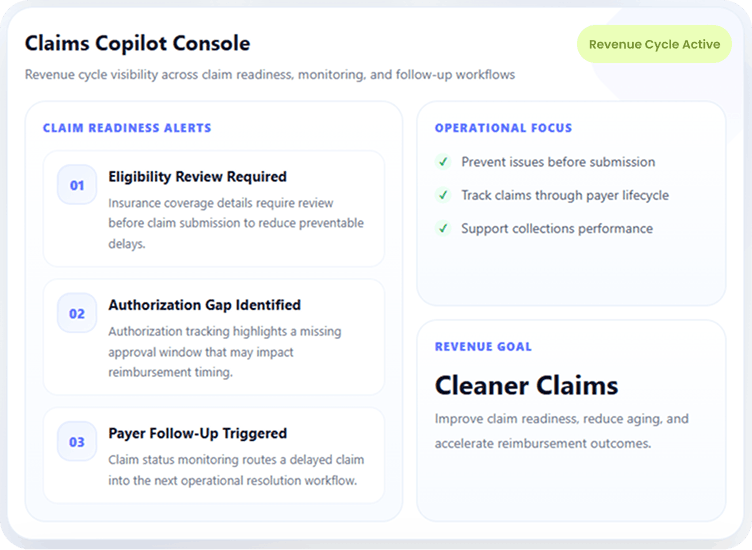
Pre-Submission Readiness
Catch eligibility, authorization, payer, and documentation issues before claims go out.
Lifecycle Claim Monitoring
Track claims after submission with rejection management, status visibility, and aging oversight.
Operational Performance
Support clean claim performance, reduce aged claims, and improve collections visibility.
Behavioral Health Focused
Designed for therapy, medication management, SUD, IOP/PHP, community support, and more.
Built for Behavioral Health
Designed for Behavioral Health
Revenue Cycle Workflows
Whether your organization provides therapy, medication management, IOP,
PHP, SUD treatment, case management, community support, or residential
services, Claims Copilot is built around the operational and reimbursement
realities of behavioral health.

Behavioral health support areas
Claims Copilot is positioned to support behavioral health organizations that need stronger claim readiness, reimbursement visibility, and operational follow-up across complex service lines.
Prevent Problems Before Claims Are Submitted
Address Revenue Cycle Breakdowns
Before They Turn Into Denials or Delays
Most claim problems begin long before a claim is submitted. Claims Copilot helps practices identify and
resolve those issues earlier so reimbursement performance is not undermined later.

Verify Insurance Eligibility
Confirm insurance coverage details early to reduce preventable reimbursement delays and billing confusion.

Review Insurance Information & ID Cards
Validate insurance information and supporting details so claims are built on more accurate payer data.

Track Authorizations
Monitor authorization requirements and approval status to reduce avoidable denials tied to missing coverage approvals.

Monitor Provider Credentialing Requirements
Support awareness of credentialing-related payer requirements that can affect billing and reimbursement workflows.

Identify Claim Issues Before Submission
Catch missing information, workflow gaps, and other claim barriers before the claim enters the payer lifecycle.

Improve Documentation-to-Billing Alignment
Route messages and requests to the appropriate team, department, or follow-up queue.
How Claims Copilot Works
A continuous workflow built to
support prevention, monitoring, and resolution.
Claims Copilot doesn’t stop at submission. It supports the operational work needed before the claim goes out, then continues
tracking activity through the payer lifecycle to help teams reduce delays, aging, and reimbursement bottlenecks.
1
Review claim readiness before submission
Insurance, eligibility, authorization, and workflow details are reviewed to identify claim risks before they become downstream reimbursement problems.
2
Submit claims and monitor payer activity
Once claims are submitted, Claims Copilot supports visibility into rejections, claim status, aging, and other signals that indicate a claim may require action.
3
Route follow-up through the right workflow
Operational tasks can be prioritized based on the issue—whether the next step involves internal follow-up, claim correction, payer research, or payment posting support.
From prevention to reimbursement performance.
Claims Copilot is designed to help organizations manage the full payer journey—not just claim submission. The result is a more proactive revenue cycle process with clearer visibility and fewer avoidable surprises.

Before submission:
improve readiness across insurance, authorizations, and documentation alignment

After submission:
monitor claim status, rejections, denial patterns, and aging across the payer lifecycle.

Operationally:
help teams reduce aging, recover delayed payments, and improve turnaround performance.
Monitor Claims Through the Entire Payer Lifecycle
Submitting claims is only the beginning.
Claims Copilot continuously tracks claim progress and supports the workflows needed to identify
reimbursement issues, respond to payer friction, and keep claims moving toward payment.

Claim Submission & Rejection Visibility
Support clean electronic claim submission while maintaining visibility into rejections and claim issues that need attention after submission.
- Electronic claim submission
- Rejection management support
- Visibility into claim readiness breakdowns

Status Monitoring & Aging Analysis
Track claims after submission to identify delays, payer inactivity, unresolved statuses, and aging trends that can impact collections.
- Claim status monitoring
- Aging analysis and prioritization
- Operational follow-up workflow visibility

Denials, Follow-Up & Payment Support
Improve follow-through on denied or delayed claims by supporting structured next steps across payer follow-up, resolution activity, and payment posting workflows.
- Denial tracking
- Follow-up workflow support
- Payment posting support
Reduce Aging and Improve Collections
Give your organization earlier visibility, better follow-through, and fewer preventable delays.
Many behavioral health organizations struggle with growing accounts receivable because claim issues are discovered too late. Claims Copilot helps teams stay ahead of the work required to keep reimbursement moving.

Reduce aged claims
improve readiness across insurance, authorizations, and documentation alignment.

Recover delayed payments
Identify unresolved payer issues sooner and reduce the amount of time claims spend waiting without meaningful action.

Improve turnaround and clean claim performance
Support stronger revenue cycle performance by reducing preventable breakdowns before and after submission.
A Partnership Approach
Successful revenue cycle management requires operational collaboration.
Many behavioral health organizations struggle with growing accounts receivable because claim issues are discovered too late. Claims Copilot helps teams stay ahead of the work required to keep reimbursement moving.

Before submission:
improve readiness across insurance, authorizations, and documentation alignment.

After submission:
monitor claim status, rejections, denial patterns, and aging across the payer lifecycle.

Operationally:
help teams reduce aging, recover delayed payments, and improve turnaround performance.
Included With DENmaar
Claims Copilot is part of the DENmaar
Behavioral Productivity Platform.
When DENmaar manages your insurance billing, your organization also gains access to the broader operational and clinical
platform that supports scheduling, documentation, reporting, and patient management workflows.

Behavioral Health EHR
Clinical and operational workflows designed around behavioral health documentation and care delivery.

Scheduling
Integrated scheduling workflows to support patient flow, operational visibility, and billing readiness.

Documentation Tools
Clinical notes, treatment plans, and documentation workflows that support stronger operational alignment.

AI-Assisted Notes
Support documentation efficiency while maintaining professional review and oversight workflows.

Treatment Plans
Behavioral health planning tools that connect care planning with documentation and operational workflows.

Clinical Workflows
Support multidisciplinary behavioral health processes with connected operational and clinical workflows.

Reporting
Visibility into productivity, claim performance, and operational trends across the platform.

Patient Management Tools
Connected workflows for patient registration, intake coordination, operational follow-up, and practice support.
Request an
AI Notes Trial
See how DENmaar AI Notes can help your clinicians reduce documentation time while improving
Request a demonstration or pilot program today.
Request Information
TESTIMONIALS
WHAT OUR CLIENTS SAY
On behalf of everyone at Meadowlark Counseling Services, I want to extend our sincere thanks for the continued improvements you and your team have made to the DENMaar EMR platform. We have been consistently impressed with both the functionality and user-friendly design of the system, which has made a meaningful difference in our day-to-day operations. The intuitive layout and ease of use have allowed our staff to spend less time navigating the system and more time focusing on client care. The regular updates and enhancements reflect your commitment to meeting the evolving needs of providers in the behavioral health and substance use treatment fields. We genuinely look forward to the new features introduced each month and appreciate how responsive the platform has been to the demands of clinical workflows. We have been so pleased with our experience that we’ve taken the opportunity to recommend DENMaar to other professionals in Pennsylvania who are working in the SUD field. Thank you again for your ongoing support and partnership. We are grateful to be working with a company that truly understands the needs of its users. KIndly, Becky Parks on behalf of the entire team at Meadowlark Counseling Services
I referred one of my colleagues Dr Aaron to you he is just starting g his psychology private practice and looking at where to start. I told him hands down you guys are the best billers and have a great EMR and team. He said he reached out just wanted to let you know!
FANTASTIC job keeping things rolling along with any and all of our billing concerns as well as responding to other issues which may well have been out of your wheelhouse. We are VERY grateful to have you and the crew in our corner.
I appreciate you all so much and DENmaar has been such a blessing Donna to our overall operations and success as an expanding company—allowing us to ultimately operate more efficiently, get our claims paid more consistently, ad stay on top of the critical credentialing piece, among other things. Teamwork does in fact, make the dream work. I’ll loop Chris/Isabella in on this message thread too, as I want All of your team to be aware of how much we appreciate our working relationship with DENmaar
Thank you for your diligence!! I appreciate it so much. Thank you Edwina…
Thank you so much Amy! I will be referring to DENmaar as often as I am asked about credentialing services.
Our Latest Blogs

Is Professional Inpatient Psychiatry a Small Market?
Yes and That Is Exactly Why It Matters
As behavioral health practices evolve, many eventually ask the same question: Is professional inpatient psychiatry worth supporting?
The short answer is yes, it is a smaller market than outpatient psychiatry. The more important answer is why that does not make it insignificant and why, from a systems and operations perspective, it actually matters more than its raw size suggests.
Organizations evaluating behavioral health EHR platforms built for complex care environments often discover this question late in their growth cycle
The Honest Market Reality
Professional inpatient psychiatry, where a psychiatrist or psychiatric nurse practitioner bills professional services for seeing patients admitted to a hospital, is not a volume driven market.
Compared to outpatient behavioral health:
- There are fewer clinicians
- Fewer billable days per patient
- Less claim volume overall
- Many providers are salaried or hospital employed and never bill independently
If you measure opportunity purely by claim count, it is a small slice of the behavioral health ecosystem. That is the truth.
Why Smaller Does Not Mean Unimportant
Where professional inpatient psychiatry does matter is complexity.
This work sits at the intersection of:
- Hospital workflows
- Daily inpatient evaluation and management billing rules
- Authorization dependencies
- Strict place of service logic
- Discharge day coding requirements
In other words, it is where systems and billing teams break first.
Most outpatient first platforms struggle here because they were not designed to handle:
- One billable encounter per provider per patient per day
- Inpatient evaluation and management code families
- Place of service 21 enforcement
- Discharge day logic
- Hospital credentialing nuances
Supporting this correctly is not about volume. It is about operational maturity.
Practices running into these challenges often encounter limitations in mental health EHR software not designed for inpatient workflows
Higher Friction, Higher Stickiness
Practices that do professional inpatient psychiatry successfully do not switch systems casually.
Why?
- The workflows are fragile
- Billing errors are expensive
- Compliance mistakes create audit exposure
- Re training teams is painful
When a platform does handle this well, it becomes deeply embedded. That creates retention, not churn.
This is especially true when inpatient workflows must align with behavioral health billing services and clean claims management
This Is Rarely A Standalone Business
Almost no one builds a company around only professional inpatient psychiatry.
Instead, it shows up as:
- An extension of an outpatient psychiatry practice
- Hospital rounding for existing patients
- On call or coverage arrangements
- Moonlighting or part time inpatient work
Which means its real value is adjacent, not isolated.
It protects and expands existing practices rather than replacing their core business, particularly for organizations managing psychiatry billing under Medicaid and commercial payers.
Why This Matters for Integrated Platforms
For systems that combine EHR, billing, and operational rules into one environment, professional inpatient psychiatry is a stress test.
If a platform can support:
- Outpatient psychiatry
- Inpatient professional services
- Community based care
- Higher levels of care
- Complex payer rules
It signals something important.
The system was built for growth, not just simplicity.
This same logic applies to platforms that can handle CMS 1500 vs UB 04 billing across behavioral health services
The Takeaway
Yes, professional inpatient psychiatry is a small market by volume.
But strategically, it plays an outsized role:
- It hardens systems
- Increases client retention
- Enables practices to grow without switching vendors
- Signals real operational depth
For platforms built to scale with practices, not just onboard them, that matters.
And for practices expanding into more complex care environments, it is often the difference between growth that is sustainable and growth that breaks the backend.
Documentation accuracy and workflow integrity are often reinforced through tools like AI progress notes aligned with inpatient and Medicaid billing logic
Frequently Asked Questions
Is professional inpatient psychiatry a profitable market?
It is not high volume, but when supported correctly it protects revenue, reduces compliance risk, and strengthens long term practice stability.
Why do outpatient-focused EHRs struggle with inpatient psychiatry?
They are not designed for daily inpatient billing rules, place of service enforcement, discharge logic, or hospital credentialing workflows.
How does inpatient psychiatry affect behavioral health billing?
Errors in inpatient billing can lead to denied claims, audits, and revenue loss, making accurate documentation and billing workflows essential.
Why does inpatient capability matter for EHR platforms?
Supporting inpatient psychiatry signals operational maturity and the ability to handle complex payer and care models without breaking workflows.
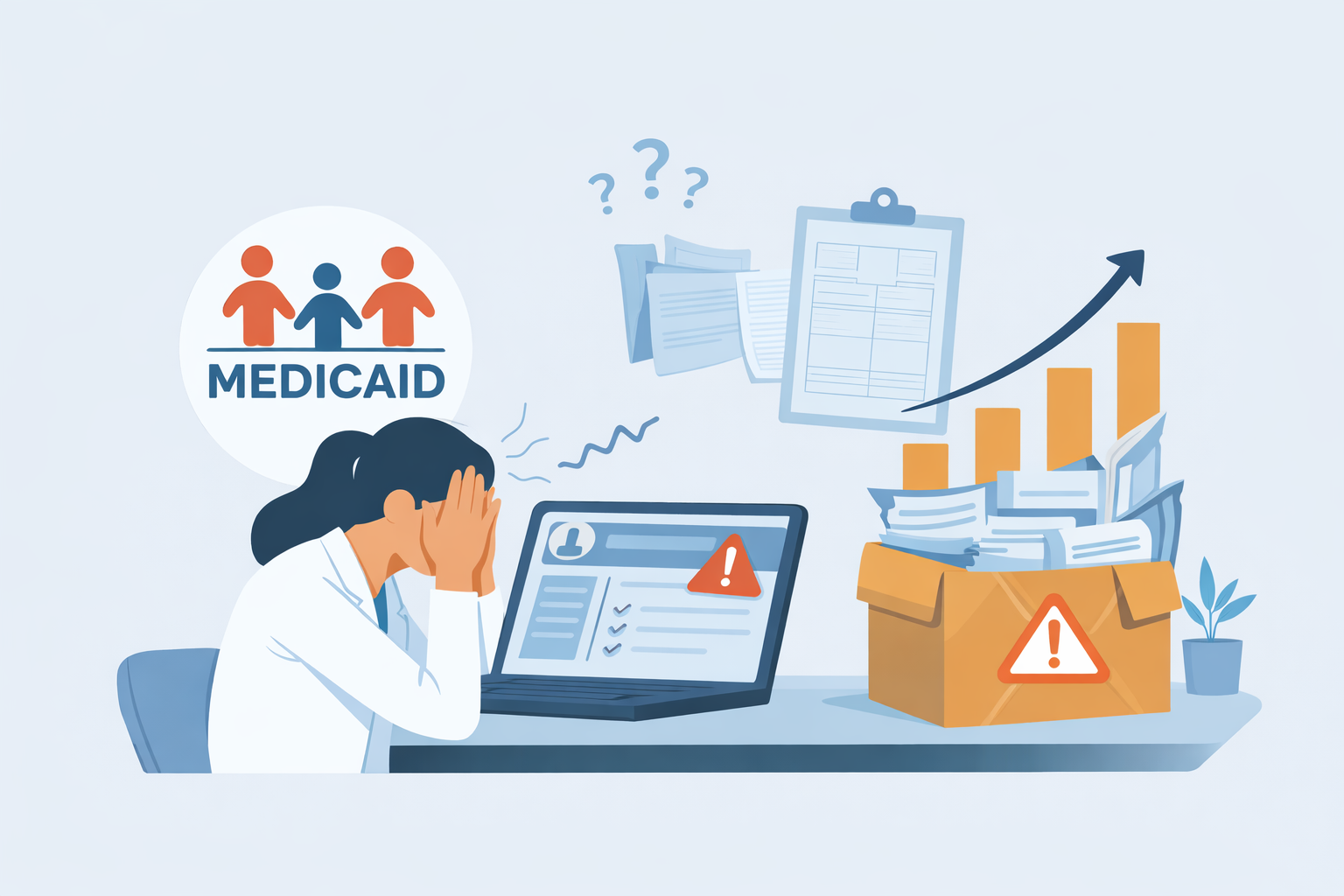
Why Medicaid Heavy Behavioral Health Practices Are Being Forced to Outgrow Their EHRs
Behavioral health practices did not suddenly become “too complex”. The system around them did.
Over the last several years, outpatient therapy and substance use disorder organizations, especially those serving Medicaid populations, have been pushed into operating models their software was never designed to handle. What used to work for low volume, private pay therapy breaks quickly once programs, units, authorizations, and state rules enter the picture.
That is why many Medicaid heavy practices are quietly outgrowing their EHRs. Not because they want more features, but because they need systems that reflect reality.
Many organizations discover this gap only after running into limitations with their existing behavioral health EHR platforms built for Medicaid complexity.
The Shift No One Planned For
Most behavioral health EHRs were built around a simple assumption.
- One provider
- One session
- One CPT code
That assumption no longer holds.
Today’s Medicaid dominant therapy and substance use disorder practices operate with:
- Multiple service lines including therapy, groups, substance use disorder care, and case management
- Unit based billing tied to time, staffing, and programs
- Authorizations that govern what can be billed, when, and how often
- State specific Medicaid rules layered on top of managed care organization requirements
- CMS-1500 and UB-04 billing existing side by side
None of this is edge case behavior. It is the default for serious outpatient Medicaid care.
Organizations navigating this shift often encounter confusion around CMS-1500 vs UB-04 billing for behavioral health organizations.
Where Traditional EHRs Start To Fail
Most EHRs do not break all at once. They fail quietly, in predictable ways.
Documentation Is Not Billing Aware
Progress notes are treated as clinical artifacts, not revenue drivers. Units, modifiers, place of service, and enrollment logic live outside the note, usually in spreadsheets or billing staff memory.
This disconnect creates friction between clinical teams and behavioral health billing services for Medicaid programs.
Medicaid Is Treated As A Payer, Not A System
Checking a Medicaid friendly box does not account for:
- State program enrollment requirements
- HCPCS driven services
- Group and per diem logic
- Hybrid billing models
What is required by the Centers for Medicare and Medicaid Services at a policy level looks very different when executed by states and managed care organizations.
Growth Exposes Operational Ceilings
As volume increases, practices feel it:
- Claims slow down
- Denials rise
- Staff productivity drops
- Founders become the bottleneck
The issue is not demand. The issue is that the system was never built to scale Medicaid complexity.
The Hidden Cost of Workarounds
Most practices do not replace their EHR immediately. They adapt around it.
They add:
- Manual billing checks
- Custom spreadsheets
- Staff tribal knowledge
- Rework after rejections
- Founder oversight to keep things moving
This works until it does not.
Every workaround introduces risk:
- Compliance drift
- Revenue leakage
- Burnout
- Inconsistent outcomes
Eventually, the practice hits a ceiling that has nothing to do with clinical quality and everything to do with system design.
What Medicaid Ready Systems Actually Need To Do
A system built for Medicaid heavy behavioral health must:
- Understand units, groups, and programs natively
- Tie documentation directly to billing logic
- Support CMS-1500 and UB-04 workflows without forcing a choice
- Adapt to state specific rules instead of ignoring them
- Reduce dependency on hero staff and founder intervention
This is not about adding more buttons. It is about embedding institutional knowledge into software.
Practices exploring modern mental health EHR software for complex care models often discover this requirement too late.
The Future Systems and Insurance Intelligence
The next generation of behavioral health platforms will not win on user interface alone.
They will win by:
- Increasing claims velocity
- Reducing denials before submission
- Shortening onboarding and credentialing timelines
- Making compliance invisible instead of manual
In Medicaid heavy environments, software without insurance intelligence becomes a liability. Practices are starting to recognize that documentation must also support billing logic through tools like AI progress notes aligned with Medicaid billing requirements.
A Quiet but Important Realization
Many therapy and substance use disorder organizations are not outgrowing their EHRs because they have become too ambitious.
They are outgrowing them because they are finally operating at the scale Medicaid care requires.
The practices that succeed long term will not be the ones with the most features. They will be the ones whose systems tell the truth about how Medicaid behavioral health actually works.
Frequently Asked Questions
Why do Medicaid behavioral health practices outgrow traditional EHRs?
Most legacy systems were built for simple outpatient therapy and cannot handle unit based billing, program enrollment, and state specific Medicaid rules.
Why is CMS-1500 vs UB-04 important in behavioral health billing?
CMS-1500 supports provider delivered services, while UB-04 is required for program based Medicaid services such as substance use disorder treatment, IOP, PHP, and rehabilitative care.
Can one EHR support both billing models?
Only Medicaid ready behavioral health EHRs can support both claim types without relying on spreadsheets, manual billing checks, or external systems.
How does documentation impact Medicaid reimbursement?
Documentation must align with authorizations, program requirements, and billing units. When it does not, claims are delayed or denied.
Is DENmaar built for Medicaid billing complexity?
Yes. DENmaar supports program-based services, AI documentation, billing workflows, and credentialing across multiple levels of care.
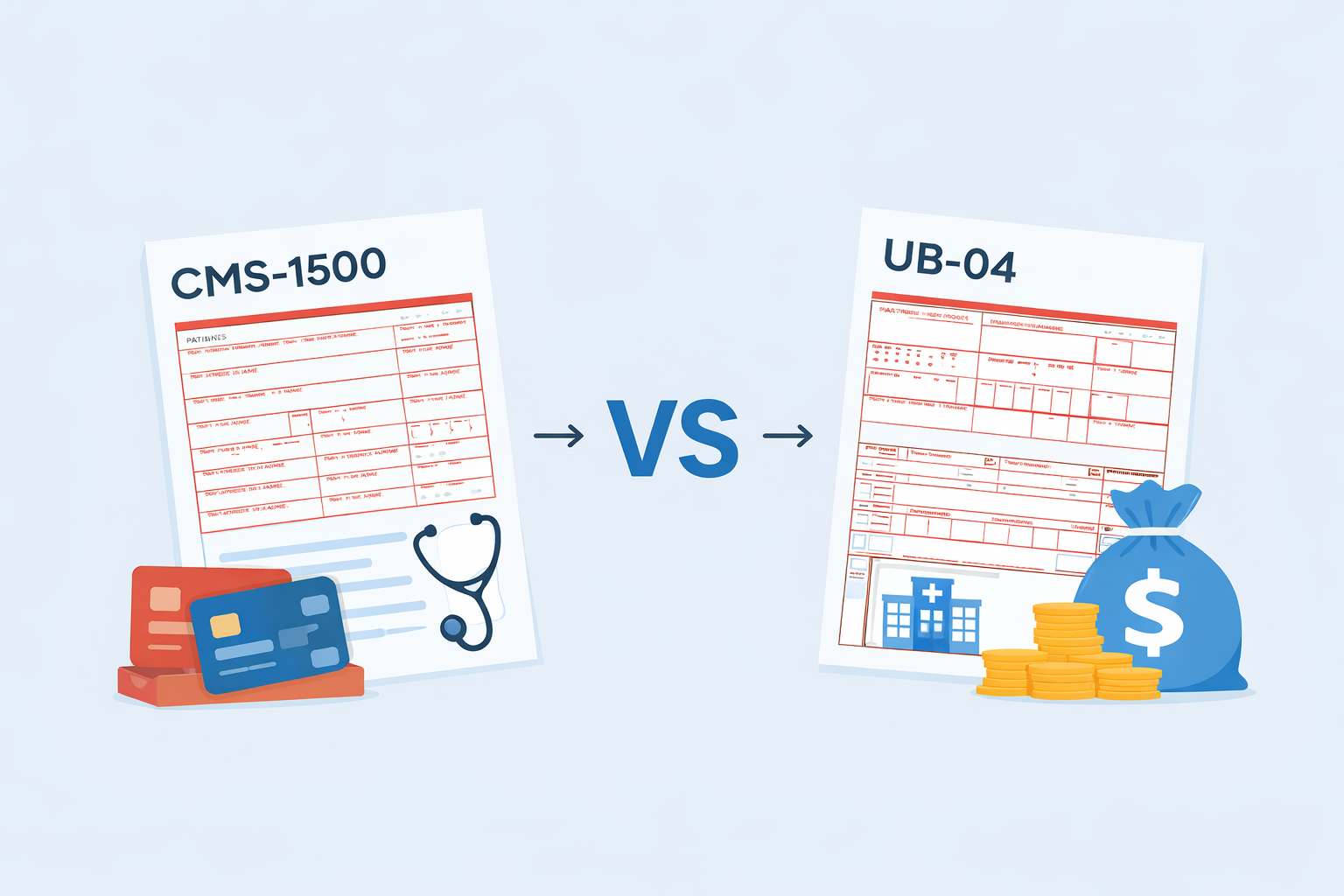
Medicaid Billing Isn’t One System
Understanding CMS-1500 vs UB-04 and the Services Behind Them
One of the biggest mistakes behavioral health organizations make with Medicaid is assuming that billing works the same way across services.
It doesn’t.
Medicaid behavioral health operates in two fundamentally different billing worlds, and most EHR platforms only support one of them. Understanding the difference between CMS-1500 and UB-04, and the services tied to each, is essential if your organization plans to grow beyond basic outpatient therapy.
The Two Medicaid Claim Types That Matter
CMS-1500: Professional Billing
CMS-1500 is used for clinician-delivered, outpatient services.
This is where most EHRs stop.
Typical services billed on CMS-1500 include:
- Individual psychotherapy (90832, 90834, 90837)
- Family and group therapy (90847, 90853)
- Diagnostic assessments (90791, 90792)
- Psychiatry and medication management (99202–99215)
- Psychotherapy add-on codes (90833–90838)
These services are:
- Provider-centric
- Session-based
- Not tied to program certification
- Familiar to most outpatient practices
For organizations offering only these services, CMS-1500 coverage may be sufficient.
Medicaid, however, extends far beyond this level of care.
UB-04: Institutional and Program-Based Billing
UB-04 is required for program-based Medicaid services, the services that operate under organizational enrollment, certification, and authorization rules.
These services typically use HCPCS codes, not CPT, and include:
- Adult rehabilitative or psychosocial rehabilitation services (H2015, H2017, H0036)
- Children’s therapeutic or wraparound services (H2019, H2021)
- Case management and care coordination (T1016, H0032)
- Substance use disorder treatment (H0001, H0004, H0005, H0015)
- Intensive outpatient and partial hospitalization programs
- Residential treatment services (H2036, H0018, H0019)
- Assertive Community Treatment (H0039, H0040)
- Day treatment and structured programs
- Crisis stabilization and crisis intervention services
These services are:
- Program-enrolled, not just provider-enrolled
- Authorization-driven
- Unit-based or per-diem
- Highly state-specific
- Often required to be billed on UB-04
This is where many EHR systems fail, not because the services are rare, but because they don’t fit a simple outpatient billing model.
The Real Challenge: Hybrid Organizations
Many behavioral health organizations operate both models at the same time.
A single organization may:
- Bill CMS-1500 for therapy and psychiatry
- Bill UB-04 for rehabilitative, substance use disorder, or higher levels of care
- Treat the same patient under both billing structures
- Employ clinicians who work across programs
Most systems cannot handle this cleanly.
The result is often:
- Separate EHRs
- External billing vendors
- Manual spreadsheets
- Claims held or denied due to enrollment mismatches
- Revenue leakage that isn’t obvious until months later
This complexity isn’t accidental. It is how Medicaid is designed.
Why Codes Alone Don’t Tell the Whole Story
A common misconception is that:
- CPT always equals CMS-1500
- HCPCS always equals UB-04
In reality:
- Program enrollment determines the claim form
- The same HCPCS code may be billed differently depending on:
- State rules
- Program certification
- Level of care
- Authorization structure
This is why Medicaid billing cannot be configured once and forgotten.
What a Medicaid-Ready Platform Must Handle
To properly support Medicaid services across levels of care, a platform must understand:
- Service type, professional versus program-based
- Program enrollment and certification status
- Claim-type logic, CMS-1500 versus UB-04
- Authorization requirements and unit limits
- Documentation standards tied to the service, not just the code
- State-specific compliance rules
Without this foundation, billing accuracy depends entirely on manual work.
See how AI-enabled documentation supports this logic:
AI documentation designed for behavioral health programs
Automated progress notes tied to treatment plans
Why This Matters for Growing Organizations
Organizations that plan to:
- Add rehabilitative services
- Expand into substance use disorder, intensive outpatient, or residential care
- Operate multiple programs
- Rely heavily on Medicaid revenue
Need systems built for Medicaid operations, not just documentation.
At that stage, the question is no longer:
Can this EHR create a note?
It becomes:
Can this system get us paid consistently and compliantly across all our services?
Explore Behavioral health billing built for program-based services
Credentialing support required for Medicaid billing
A Different Way to Think About Medicaid EHRs
Most EHRs are built around visits.
Medicaid requires systems built around:
- Programs
- Enrollment
- Authorization
- Claim logic
- Revenue integrity
That difference becomes visible only when organizations move beyond outpatient therapy.
Final Thought
If your organization bills, or plans to bill, services that extend beyond standard outpatient care, understanding CMS-1500 vs UB-04 is not optional.
It is the difference between
- Scaling confidently
- And fighting your system every month
Learn A behavioral health EHR built for complex Medicaid services
Frequently Asked Questions
What is the difference between CMS-1500 and UB-04 billing?
CMS-1500 is used for professional outpatient services. UB-04 is required for program-based and institutional Medicaid services.
Why do most behavioral health EHRs struggle with UB-04 billing?
Most EHRs are designed for visit-based workflows and lack program enrollment, authorization tracking, and claim logic.
Can one organization bill both CMS-1500 and UB-04?
Yes. Many behavioral health organizations operate hybrid models and must support both claim types simultaneously.
How does Medicaid billing affect revenue cycle management?
Incorrect claim types, enrollment mismatches, or missing authorizations lead to denials and long-term revenue leakage.
Is DENmaar built for Medicaid billing complexity?
Yes. DENmaar supports program-based services, AI documentation, billing workflows, and credentialing across multiple levels of care.
Our Partners






Ready to get started?
Feel free to reach out if you have any questions.
